Design System – UI Kit
SMBC Design System
Role: Product Designer | Client: SMBC (Sumitomo Mitsui Banking Corporation) | Scope: Enterprise Loan Digitization Platform
Fragmented UI Across a Growing Platform
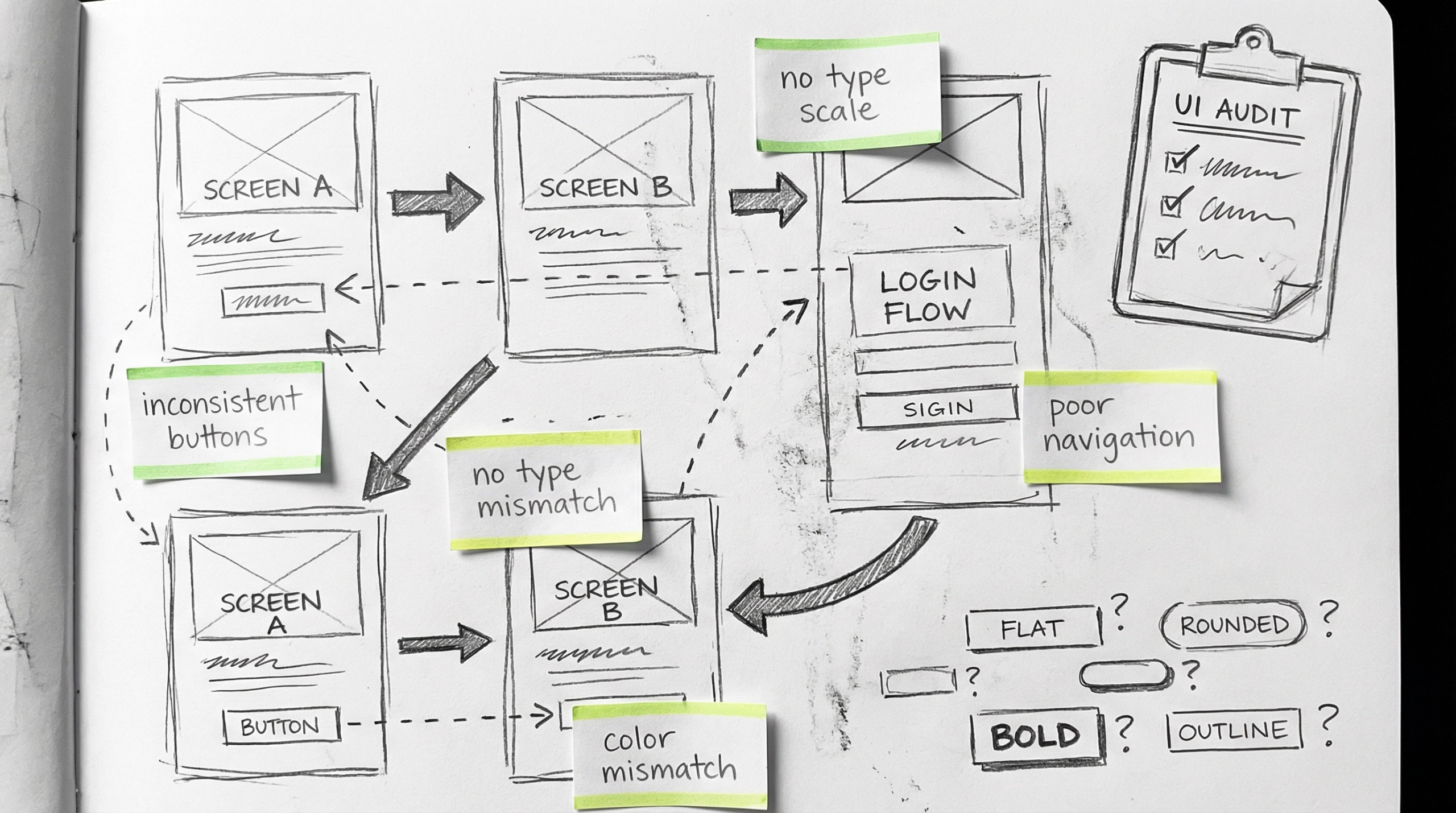
When I joined the SMBC Loan Digitization project, the product had grown rapidly without a shared design language. Every team was building screens independently — buttons looked different across modules, typography was inconsistent, and colors were applied without a system.
My brief was clear: unify the experience and create a scalable scalable design system from scratch.
I Started with Pen and Paper
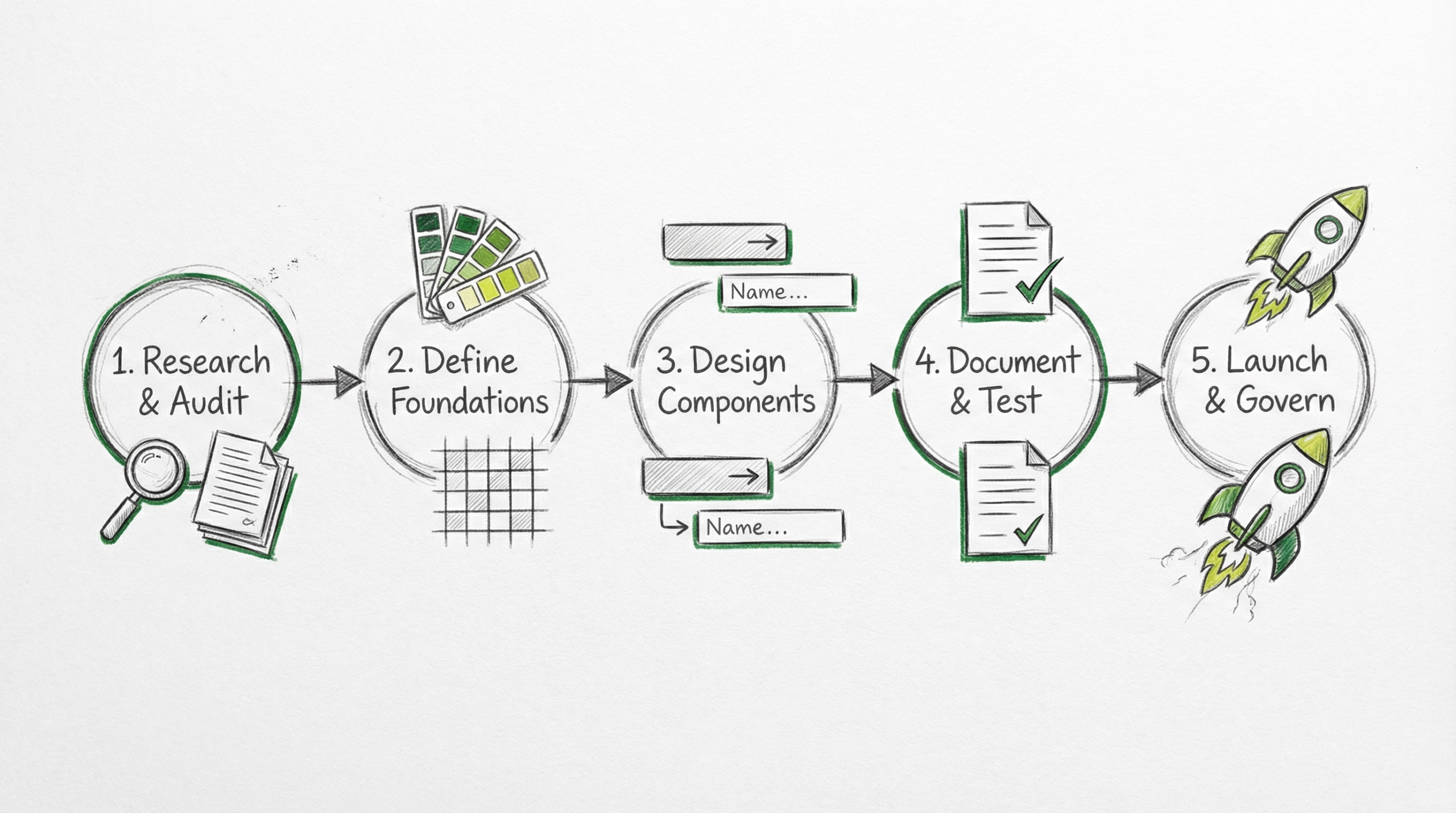
Before opening Figma, I mapped out the entire system on paper. I sketched the relationships between foundations and components, defined the phases of work, and identified dependencies. This low-fidelity thinking helped me align with stakeholders early and avoid costly rework later.
Defining the Design Tokens
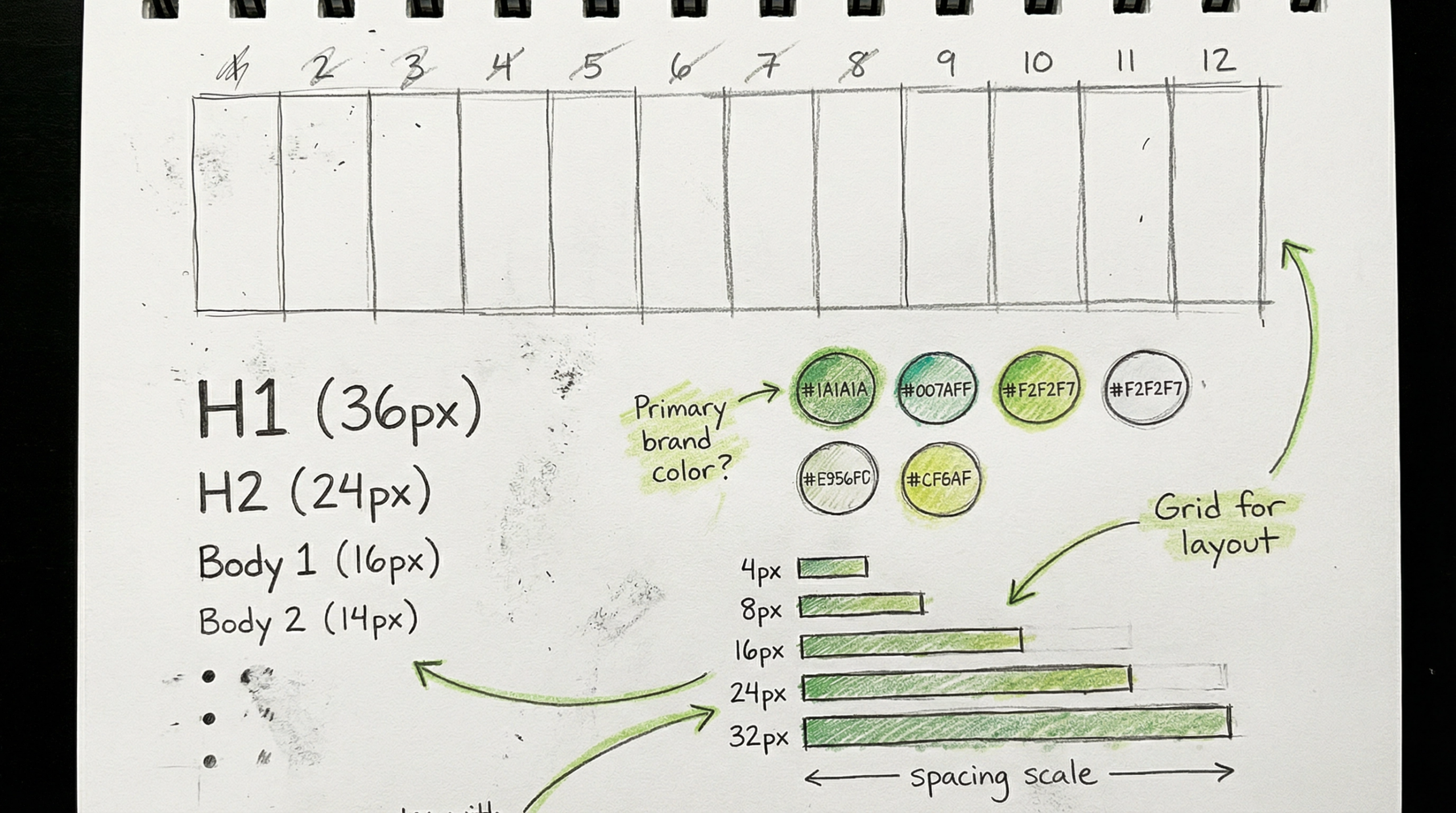
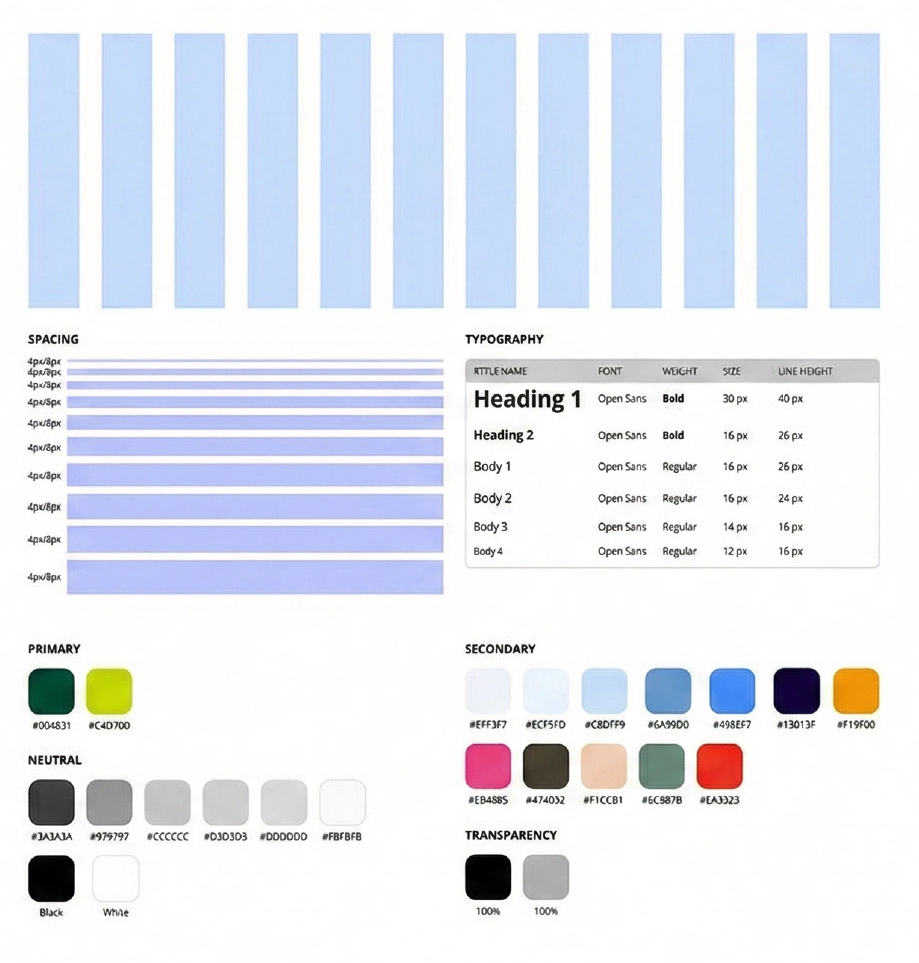
I began by establishing the core foundations the building blocks everything else would inherit from. I sketched the grid structure, spacing scale, type hierarchy, and color relationships before translating them into precise Figmal tokens. Getting these right meant every component built on top would be inherently consistent.
Grid, Spacing, Typography & Color System
The final foundation layer included: a 12-column responsive layout grid (70px columns, 30px gutters), a spacing scale using 4px/8px increments, a type system built on Open Sans with 6 defined styles, and a comprehensive color palette – primary brand greens, 8 neutral tones, and 13 semantic secondary colors with transparency rules.
From Rough Sketches to Pixel-Perfect Components
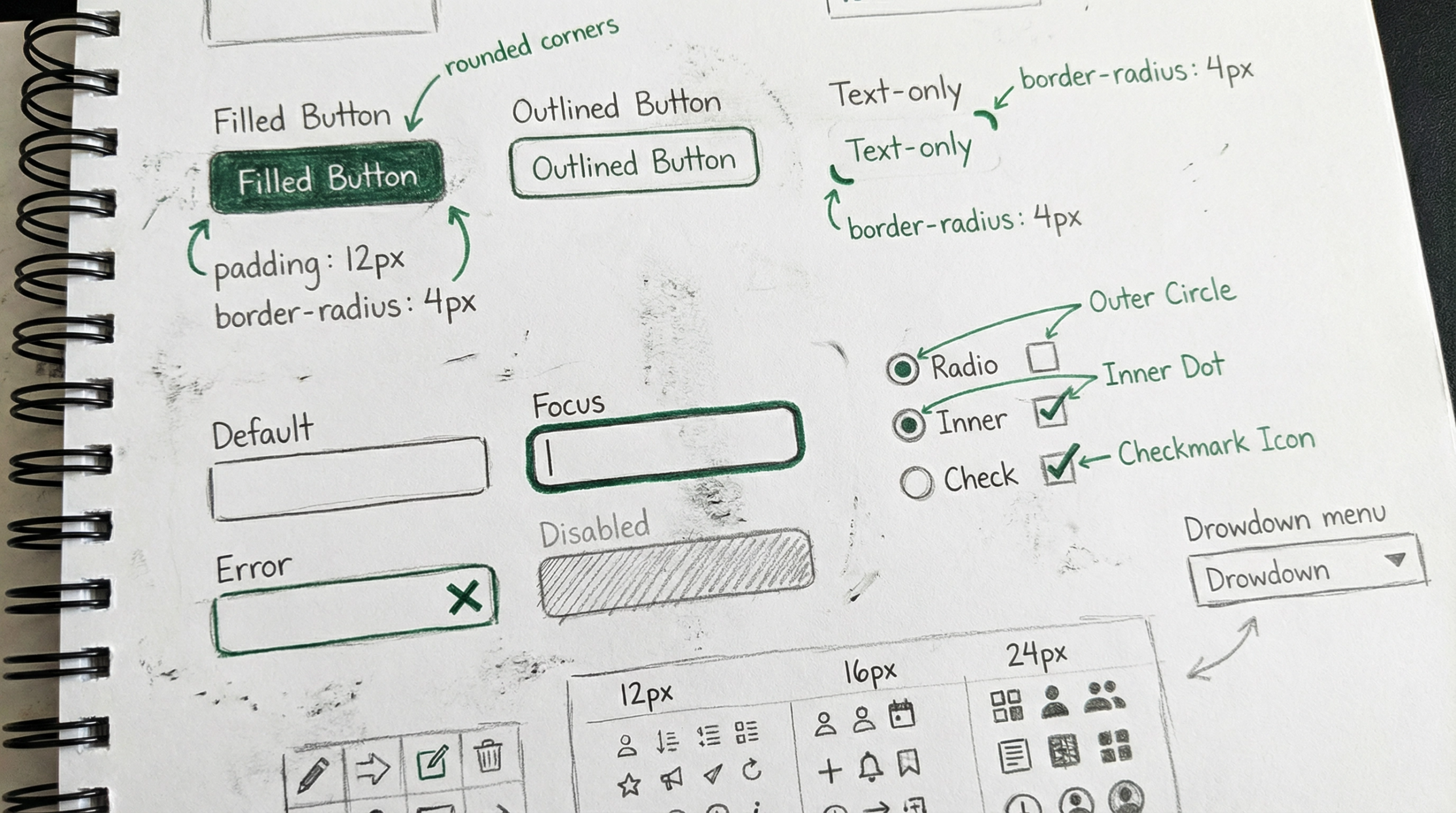
With foundations locked, I moved to components. I sketched every component first – buttons, inputs, radio buttons, dropdowns – exploring states, variants, and edge cases on paper. This sketch-first approach let me validate ideas with engineers and stakeholders before investing time in high-fidelity production.
A Complete, Production-Ready Component Library
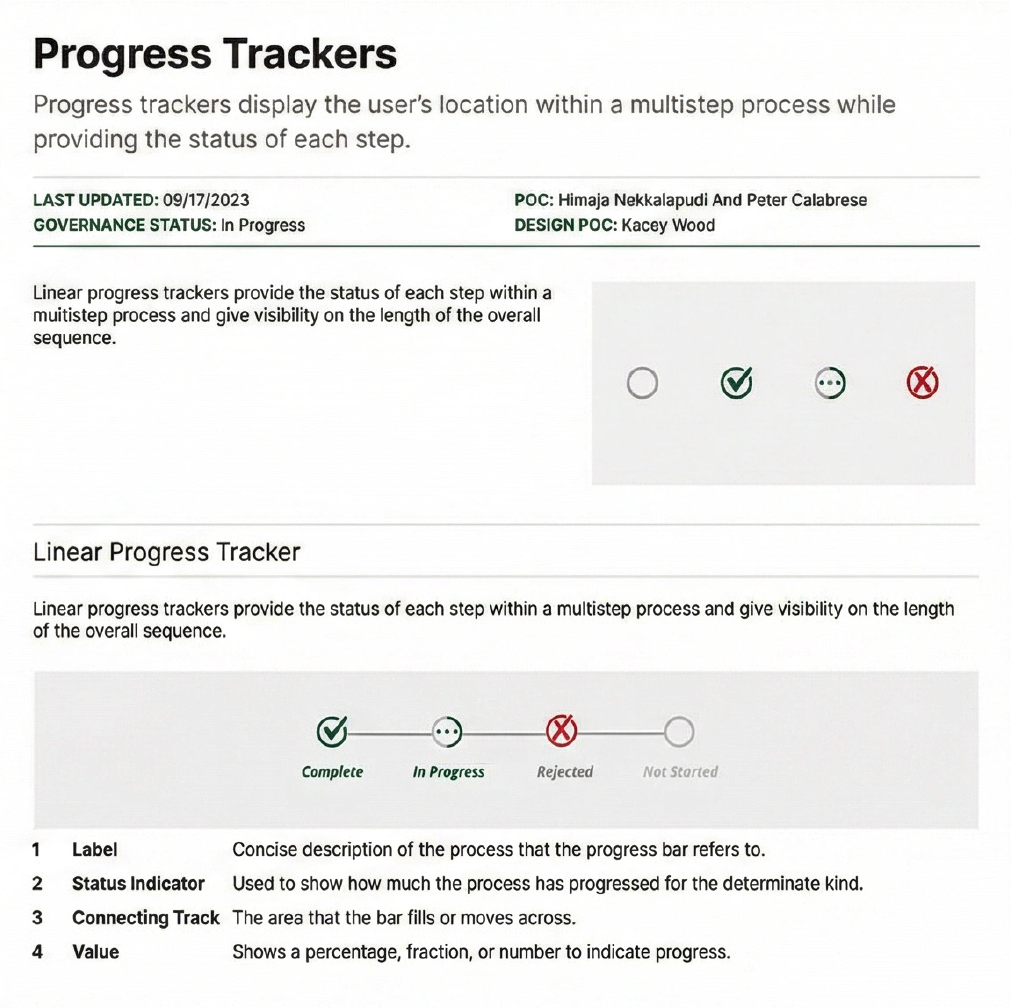
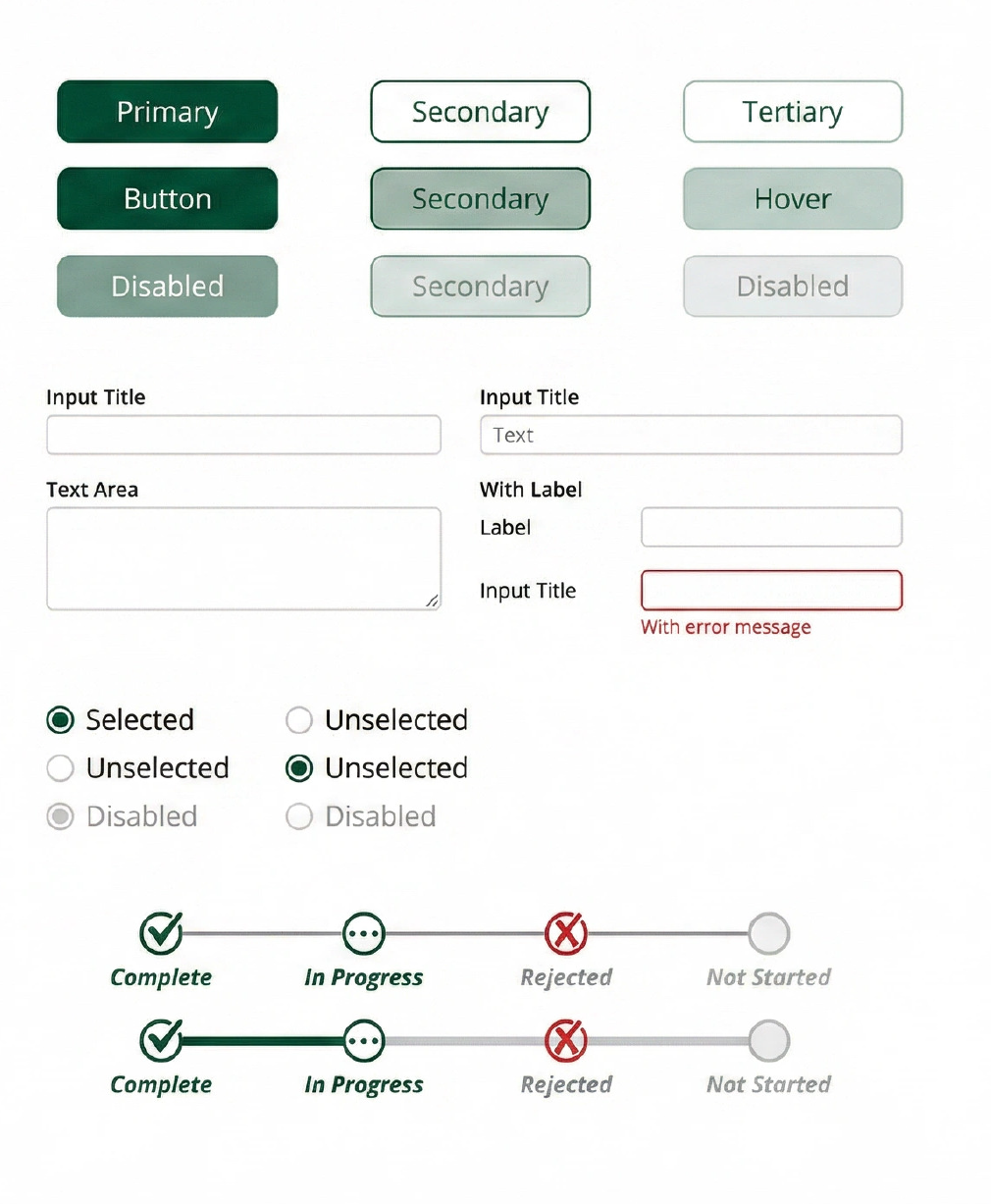
Each component was designed with full state coverage: default, hover, focus, active, disabled, and error. I defined three button hierarchy levels, text inputs with clear anatomy annotations, radio buttons with selection logic, and progress trackers for multi-step workflows. Every component was built as a reusable Figma symbol with auto-layout.
I Wrote the Rulebook So the System Could Scale
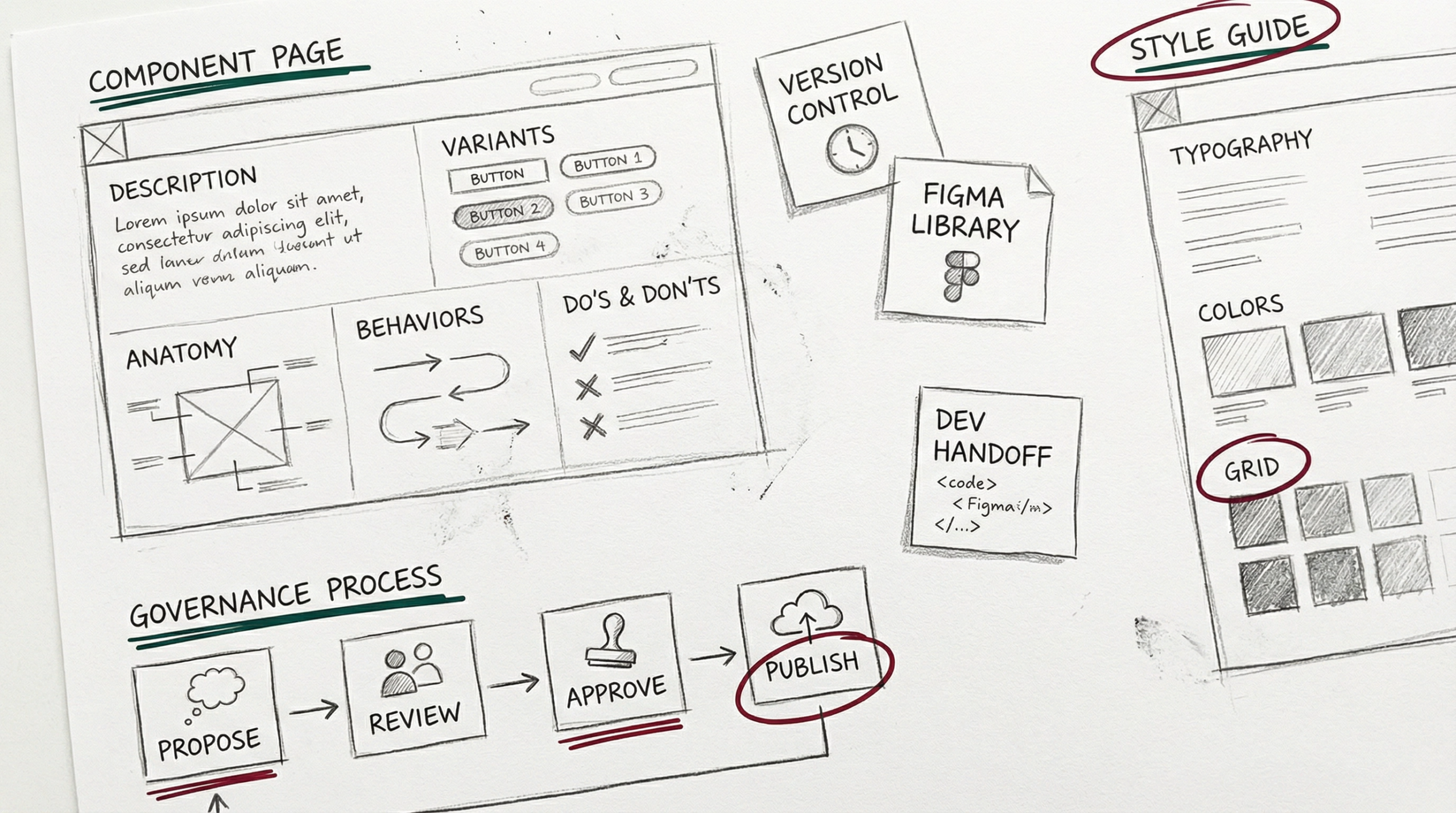
A design system without documentation is just a Figma file. I created a standardized documentation template for every component – covering purpose, anatomy breakdowns, behavioral states, usage guidelines, and explicit Do’s and Don’ts. This ensured that designers and developers across teams could adopt the system independently.
One System, One Language, Across Every Team
The SMBC Design System became the single source of truth for the entire loan digitization platform. It eliminated visual inconsistencies, reduced design-to-dev handoff friction, and enabled new screens to be assembled rapidly from existing components. The system is now actively maintained and governed with clear ownership.